Update Existing Project Contracts - CRE
The Update Existing Project Contracts Writeback template updates existing project contracts and their contract lines in Sage Intacct Construction and Real Estate (CRE) directly from a workbook. You can use the template to change the contract header information, billing settings, retainage, GL accounts, and existing lines of a project contract. It uses the NECWRITEBACK formula, generated with the Writeback Wizard, to send changes from the workbook back to Sage Intacct.
Update a project contract in Sage Intacct
- Select the Project Contract ID in the contract header.
- Update the contract header fields.
- Click Update Contract Header to send the header changes to Sage Intacct.
- Update the lines in the existing contract lines grid.
- Review the contract update, then click Update Contract Lines to send the line changes to Sage Intacct.
- Click Reset before you select another contract.
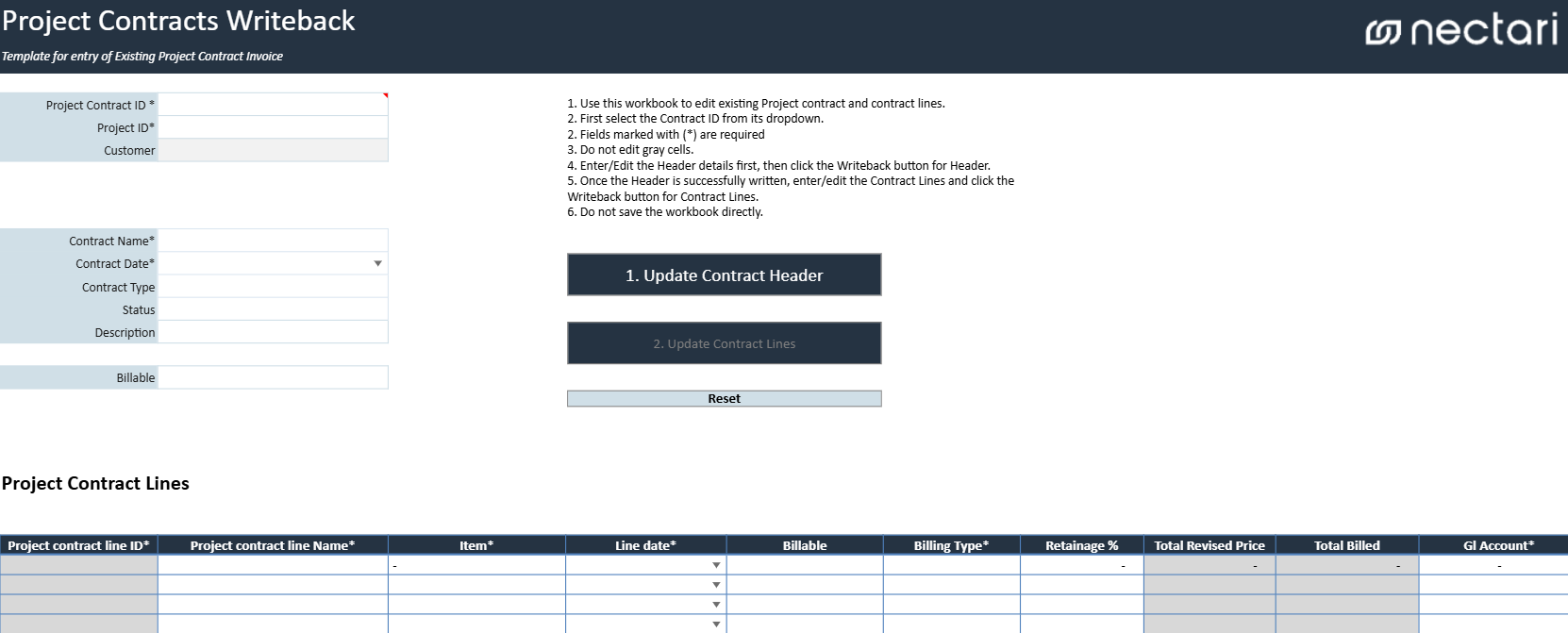
Existing contract header fields
When you select the Project Contract ID, the template loads the existing contract header, the project information, and the contract lines. Fields marked with an asterisk (*) need to stay filled in when you update the contract.
| Header field | What it contains |
|---|---|
| Project Contract ID * | Existing Sage Intacct project contract to update. |
| Project ID * | Project associated with the selected contract. |
| Customer | Customer associated with the project contract. |
| Contract Name * | Name used to identify the project contract. |
| Contract Date * | Date associated with the project contract. |
| Contract Type | Type or classification of the project contract. |
| Status | Current status of the project contract. |
| Description | Description of the project contract. |
| Billable | Indicates whether the project contract is included when generating billable transactions. |
Writeback actions
| Writeback action | What it does |
|---|---|
| Update Contract Header | Sends the header changes of the selected project contract to Sage Intacct. The header changes need to reach Sage Intacct before the line changes. |
| Update Contract Lines | Sends the changes of the existing contract lines to Sage Intacct. |
| Reset | Clears the current selection and reloads the workbook so another contract can be reviewed or updated. |
Existing contract lines grid
The grid lists the existing lines of the selected project contract. Total Revised Price and Total Billed show the current contract values for reference while you review the lines.
| Contract line column | What it contains |
|---|---|
| Project Contract Line ID * | Identifier of the existing contract line. |
| Project Contract Line Name * | Name or description used to identify the contract line. |
| Item * | Item associated with the contract line. |
| Line Date * | Date associated with the project contract line. |
| Billable | Indicates whether the line is included when generating billable transactions. |
| Billing Type * | Billing method used for the contract line. |
| Retainage % | Percentage of the billed amount retained from the contract line. |
| Total Revised Price | Current revised contract value for the line. |
| Total Billed | Amount billed against the contract line to date. |
| GL Account * | General ledger account associated with the contract line. |
Review the contract update before writeback
Click Update Contract Header before Update Contract Lines, since the line changes need the updated contract header in Sage Intacct. After both updates, open the project contract in Sage Intacct to confirm the changes.
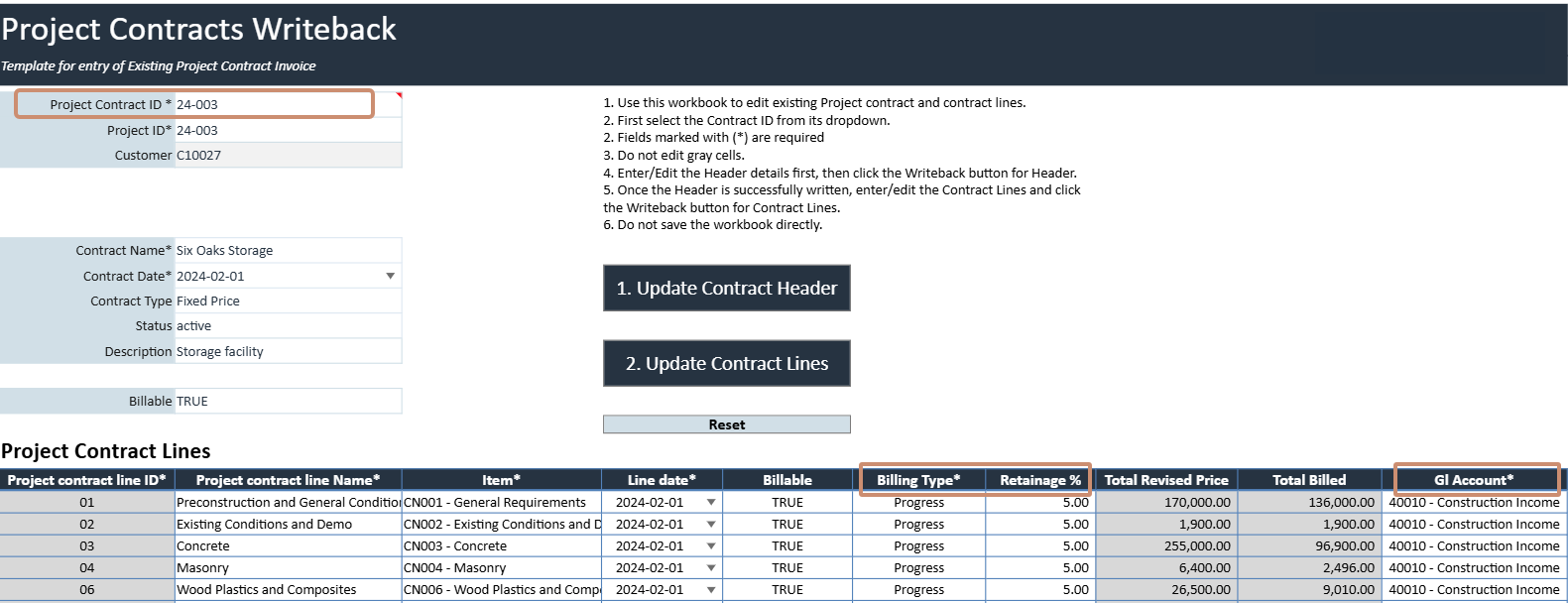
- Confirm that the correct Project Contract ID is selected.
- Review the loaded header information before you change it.
- Make sure every required (*) field is still complete.
- Go over the Billing Type, Retainage %, GL Account, and other line details.