Project Management
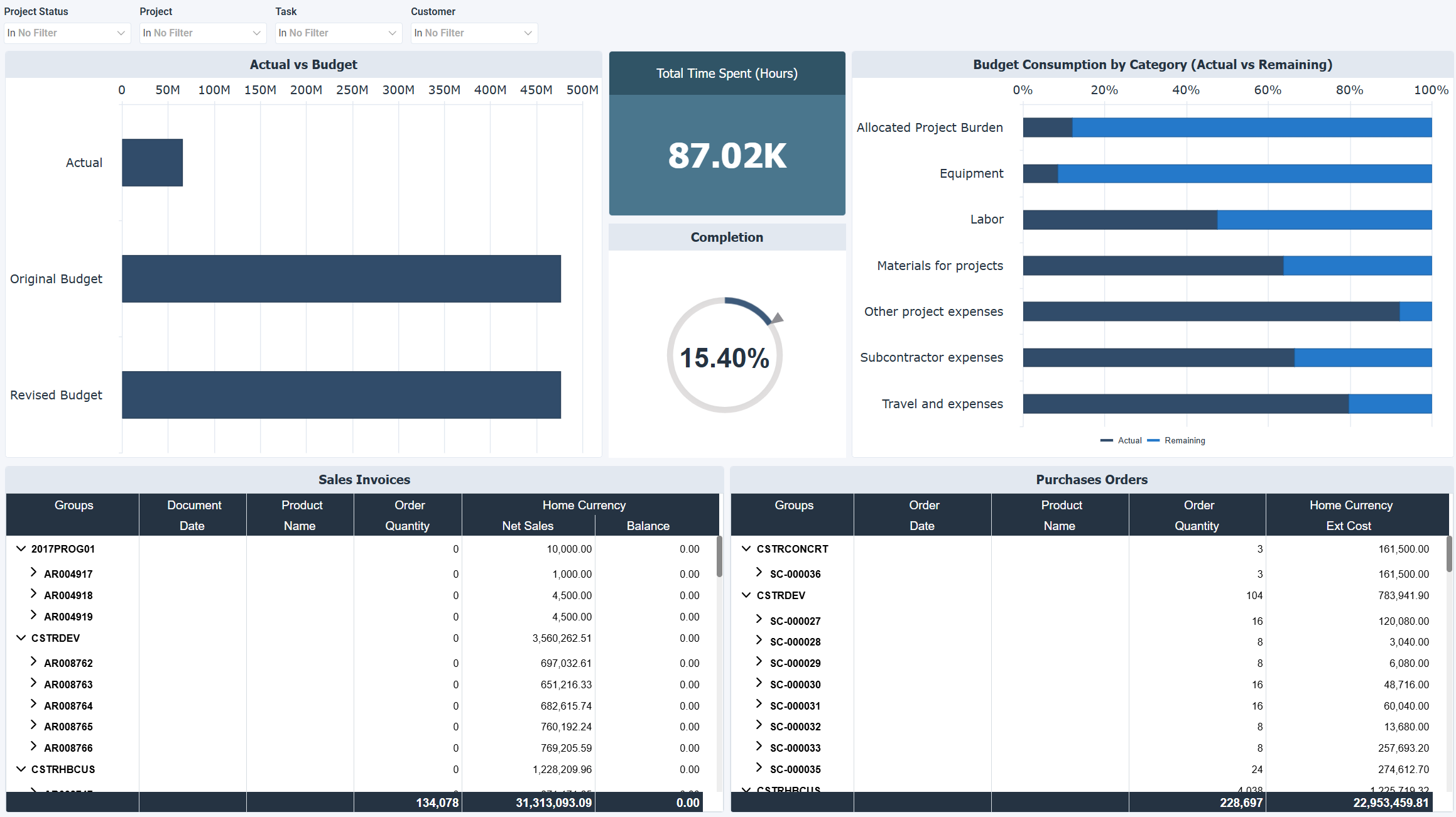
The Project Management dashboard provides insights into project profitability, expenses, and completion progress. It helps organizations track financial performance, manage budgets, and monitor project execution efficiency.
Benefits of this dashboard
- Track project budgets: Helps ensure projects stay within financial limits.
- Monitor expenses: Provides a clear breakdown of costs by category.
- Evaluate performance: Compares actual profitability against planned budgets.
- Optimize resource allocation: Ensures labor, materials, and subcontractor expenses are effectively managed.
- Improve operational efficiency: Increases visibility into sales and purchase orders to support better financial decisions.
Visual components
| Title | View Type | Description |
|---|---|---|
| Actual vs Budget | Horizontal Bar | Compares actual profitability with the original and revised budgets. |
| Total Time Spent (Hours) | KPI | Displays cumulative hours posted to projects. |
| Completion | Simple Gauge | Shows the percentage of project completion. |
| Budget Consumption by Category | Stacked Bar | Compares actual and remaining budget by expense category (labor, subcontractors, materials, equipment). |
| Sales Invoices | Worksheet | Lists project related sales invoices, including document details, quantities, and net sales. |
| Purchase Orders | Worksheet | Lists project related purchase orders, including items, quantities, and total costs. |
Example dashboard
Filters
Use the filtering panel at the top of the dashboard to control which data is shown. The filters apply to all views and ensure the dashboard reflects the selections you choose.
- Project Status
- Project
- Task
- Customer