
Dashboard
 SEI allows users to create and display Dashboard views with several selected views displayed on a
single page.
SEI allows users to create and display Dashboard views with several selected views displayed on a
single page.
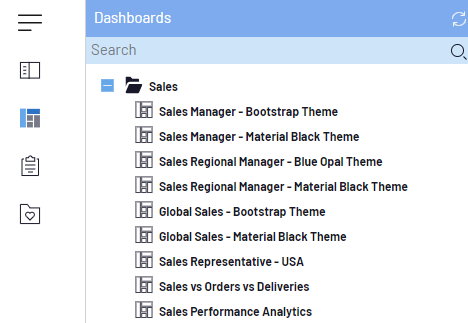
The list of available Dashboards is accessible from its own window.
At the Folder level:
| Option | Description |
|---|---|
|
|
|
|
New Dashboard |
To create a new Dashboard. |
|
New Folder |
To create a new folder. |
|
Rename Folder |
To rename a folder. |
|
Delete Folder |
To delete a folder. |
At the Dashboard level:
| Option | Description |
|---|---|
|
|
|
|
Open |
To open the Dashboard. |
|
Open in Sample Mode |
To open the Dashboardwith limited data (top 100). Refer to Sample Mode for Dashboards for more details. |
|
Design Dashboard |
To open the Dashboard Designer. |
|
Add to Favorites |
To add the dashboard to the Favorites tab. |
|
Rename Dashboard |
To rename the Dashboard. |
|
Delete Dashboard |
To delete the Dashboard. |
|
Properties |
To see Dashboardproperties. |
|
Set as Landing Page |
To set the Dashboardas a landing page. |
|
Subscribe |
To configure the distribution for the current user on the selected View. |
|
Manage Documentation |
To select files to upload as reference documents for the users. Add as many files as needed. |
|
Notify Users About Modification |
To set notifications. |