Writeback Error on Legacy Sage Intacct Tables
Problem
Writing back to Sage Intacct fails with Writeback completed with errors. The operation is not supported for table [TableName] in the API. Set UseLegacy to true. The error appears whether the writeback was built from scratch or started from a predefined writeback workbook.
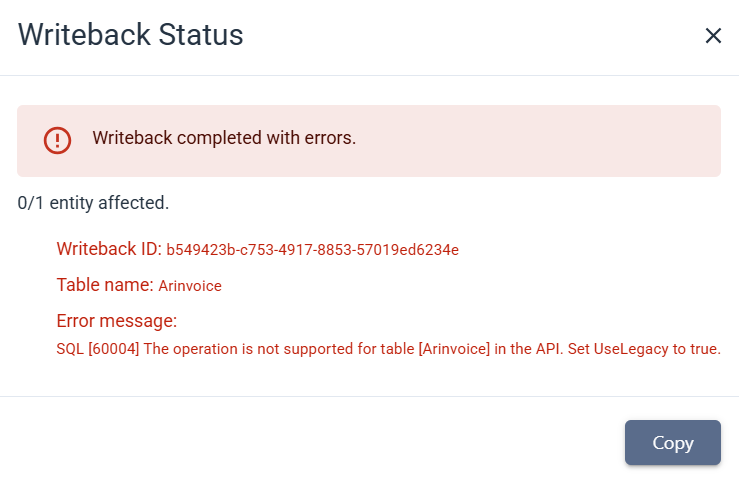
Cause
The mapped table belongs to an object whose Create or Update operations exist only in the Sage Intacct Legacy XML API. Writeback does not reach those operations, so the record is never created or updated.
These areas are affected:
- Accounts Receivable Invoices
- Order Entry
- Purchasing
- Expense Reports
To check a specific object, open the XML API Reference for Sage Intacct Developer. When the Create or Update operation needed is marked (Legacy), Writeback cannot use it.
Solution
Remove the affected tables from the writeback configuration, then run the writeback again.
- Select the cell that contains the writeback formula.
- In the ribbon, click the Analysis tab, then click WRITEBACK Wizard.
- Clear the fields that belong to the affected tables.
- Click Save.
- Run the writeback again.