Run Extraction
An extraction can be run manually to produce an immediate result, instead of waiting for its next scheduled run. Setting Parallelism to 1 in the extraction settings ensures one table finishes before the next starts, running through the tables in alphabetical order.
Each load mode fetches and applies data differently, and the Truncate and load, and Process Deleted Records, that behavior also depends on whether Load by Partition is configured for the table.
Choose a load mode
- Truncate and Load
- Incremental Load
- Process Deleted Records
- Load
Truncate and Load
The Truncate and Load option clears all existing data in the destination table, then reloads it entirely from the source. How DataSync fetches that data, in a single request or split across several, depends on whether Load by Partition is configured for the table.
| Truncate and load method | What it does |
|---|---|
| Standard | Fetches every record from the source in a single query, so the entire table is retrieved at once. |
| Load by Partition | Splits the fetch into multiple smaller queries instead of one large request, each one retrieving records within a specific range of the partition field. |
When Load by Partition is configured for a table with a Range of 100, a table with 500 records is fetched in five separate queries instead of one: 1 to 100, 101 to 200, 201 to 300, 301 to 400, and 401 to 500. Without Load by Partition configured, the same table is fetched in a single query covering all 500 records at once.
Incremental Load
The Incremental Load option updates only records that have changed since the last incremental load, replacing their corresponding records in the destination instead of reloading the entire table.
To know which records changed, DataSync relies on a tracking field, a field selected for the table, typically a Last Modified or similar date field, that updates whenever a record changes in the source. Incremental Load runs a single query bounded by that field, retrieving only records where the tracking field is greater than or equal to the last run date. Records that haven't changed since then are skipped entirely.
Process Deleted Records
Process Deleted Records checks for records deleted in the source within a specified number of days. For example, if set to 30 days, DataSync checks all transactions created or updated in the last 30 days and deletes from the destination any that no longer exist in the source. Which method DataSync uses depends on whether Load by Partition is configured for the table.
| Processs deleted records method | What it does |
|---|---|
| Standard | Checks for deletions in a single query, bounded by the tracking field. This retrieves records that changed since the last refresh and compares them against the destination. |
| Partition by ID | Retrieves the minimum and maximum values of the partition field among records that changed since the last refresh, then checks for deletions one smaller range at a time across those values. Example: If records changed since the last refresh fall between customer IDs 4000 and 4800, deletions are checked in ranges across that span instead of the full table. |
| Partition by date | Checks for deletions one date range at a time, starting from the partition start date and continuing up to the current date. Example: Deletions are checked in date ranges such as January 1 to January 8, then January 9 to January 16, up to the current date. |
Load
The Load option loads all data from the source into the destination, but it's only available for migration extractions.
Run an extraction
- Select Extractions.
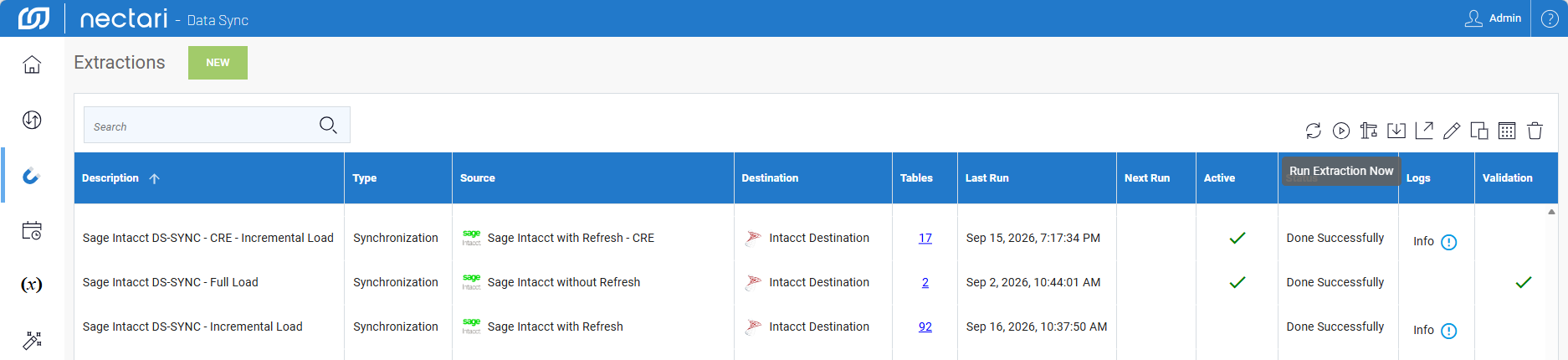
- Select the extraction to run, then click the Run Extraction Now icon in the upper-right corner.
- In the dialog, check or uncheck the tables to include.
- Select the load mode from the dropdown.
- (Optional) If Process Deleted Records is selected, enter the number of days to check for deletions.
- Click Run.
Check the extraction status
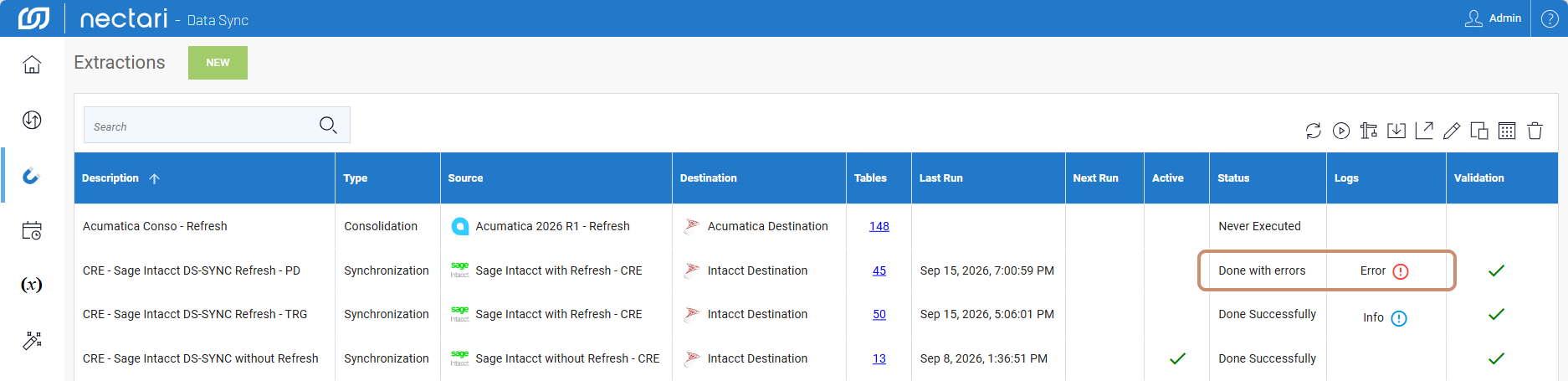
Once running, the extraction takes a moment to complete. The results appear in the Status column once finished. Under the Logs column, hovering over a row reveals a Details button. Click it to view that table's log details.
| Run extarction status | What it means |
|---|---|
| Never Executed | The extraction has never been run and needs to validate and build before running it. |
| Done Successfully | The extraction completed without errors. |
| Done with errors | The extraction completed, but one or more tables returned an error. Hover over Error and click to view details. |
| Aborded | The extraction was stopped manually before completion. |