Configure Acumatica Reporting Codes
Reporting codes map your accounts to standardized reporting groups. SEI uses these groups to calculate the financial KPIs and fill the dashboards, so the metrics are the same for every company and chart of accounts structure. Generate the default reporting codes, then assign your account numbers to them.
Generate the default reporting codes
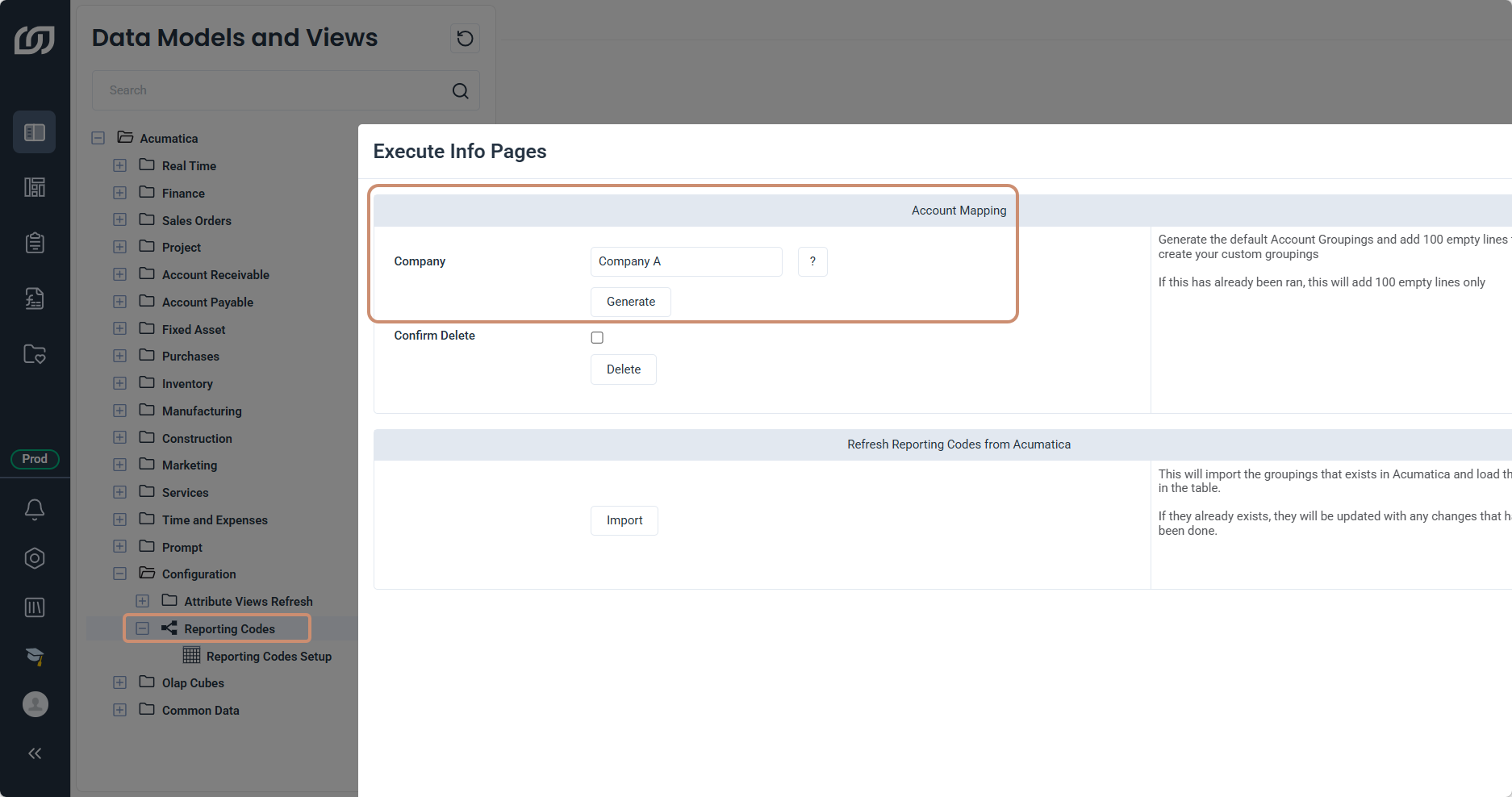
The Reporting Codes data model generates the default reporting codes that the financial KPIs use.
- In SEI, select Data Models and Views from the navigation panel.
- Expand Acumatica, then Configuration.
- Right-click the Reporting Codes data model and click Execute Info Pages.
- Select the Company, then click Generate.
Assign accounts to the reporting codes
Complete this part after you generate the codes. Each generated group needs the account numbers of your chart of accounts.
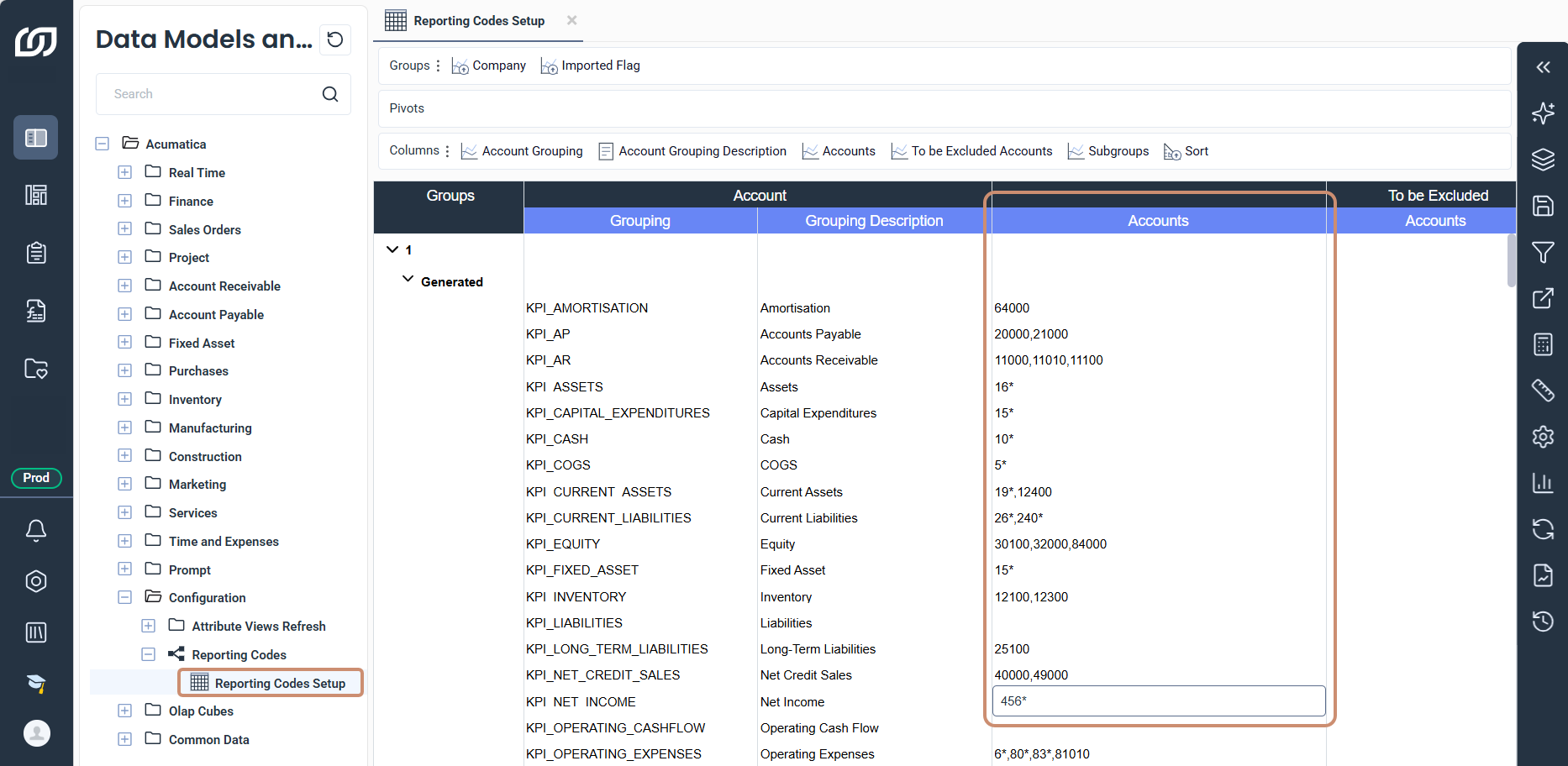
- Expand Reporting Codes and open the worksheet.
- Expand a generated group and fill in the Accounts column with the account numbers.
- Click Save Changes in the toolbar on the right.
Example use cases:
- Separate accounts and intervals: Use commas between accounts and a colon for an interval, such as
12100,12250:12300,12305. - Replace several characters: Use an asterisk, so
456*matches all accounts that begin with456. - Replace one character: Use a question mark, so
456?matches the four digit accounts that begin with456.