Settings for SharePoint
This topic describes how to set up the OData connection so that you can use SharePoint with DataSync.
-
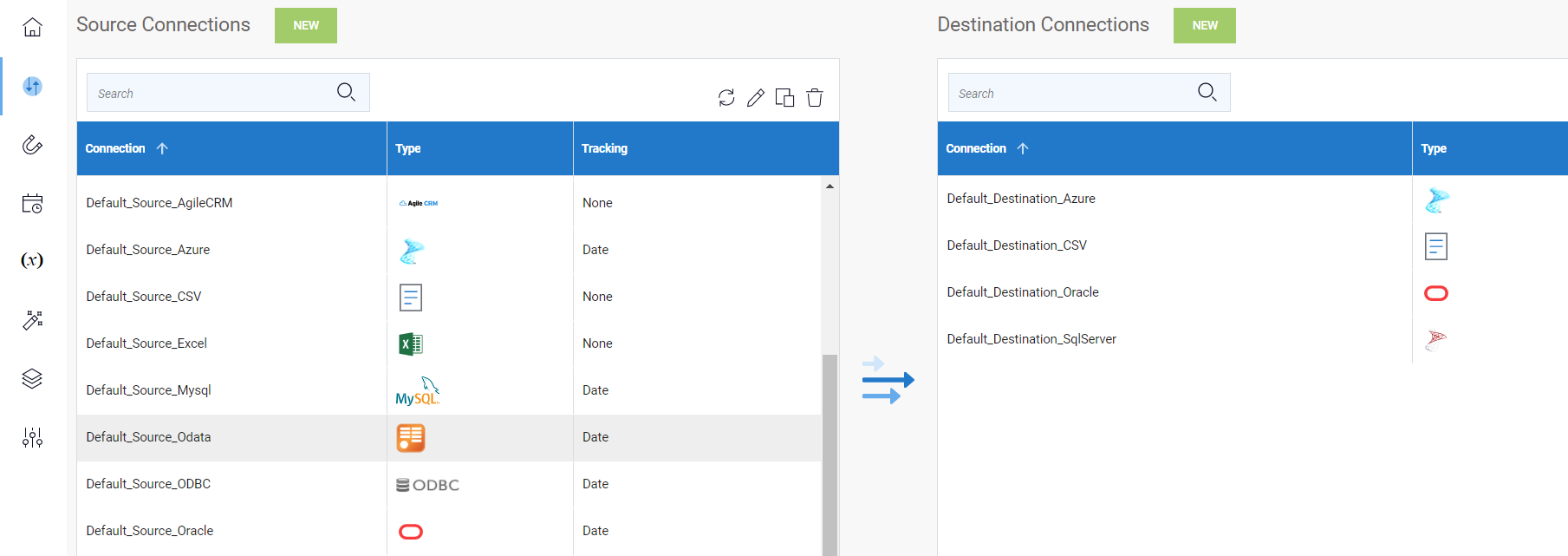
In DataSync, in the Connection page, click on New to create a new Source Connection.
- In the list, select OData.
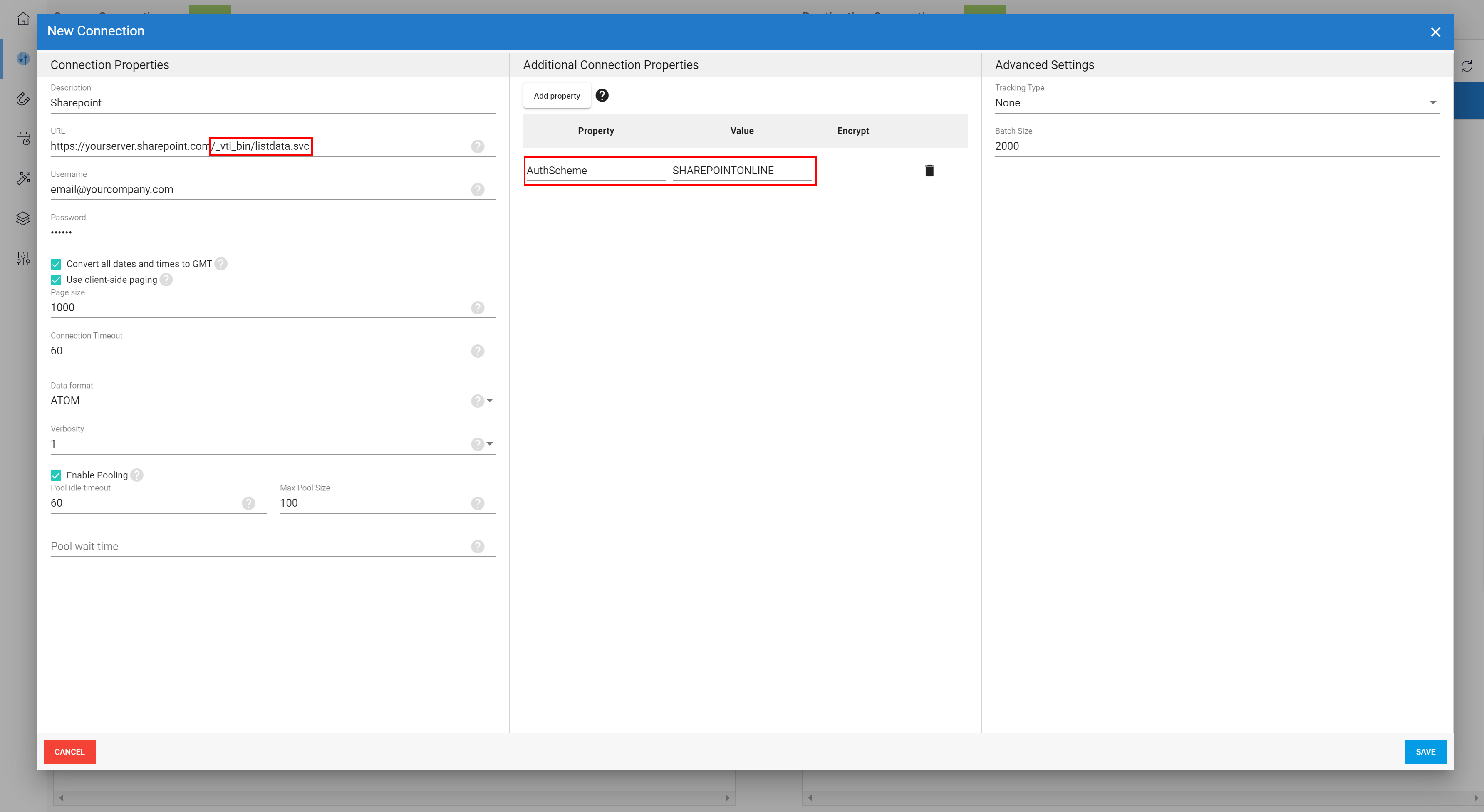
- Enter a description for this connection.
- In the URL field, enter the URL address of the SharePoint you want to get access to followed with /_vti_bin/listdata.svc.
- In the Username and Password fields, enter the credentials used to access SharePoint.
- Define the other Connection Properties according to your preferences.
- Under the Additional Connection Properties section, click Add Property and choose Visible:
- In the Property field, enter AuthScheme.
- In the Value field, enter SHAREPOINTONLINE.
-
Under the Advanced Settings section, change the parameters according to your preferences and click Save.
- Create a Destination Connection if you have none then follow the instructions described in Adding an Extraction to create an Extraction.
Note
The site content of your SharePoint is retrieved through the extraction and will be displayed in Tables.